PAYMENTS & POS · PERSONAL SUPPORT
Understand your processing costs.
Choose a POS that fits.
Payment processing and POS technology should work around your business. Chris helps you compare your options, understand the costs and choose a setup that fits.
Get a free statement review →
Book a POS consultation
Work directly with Chris McCloskey · 518-424-2452
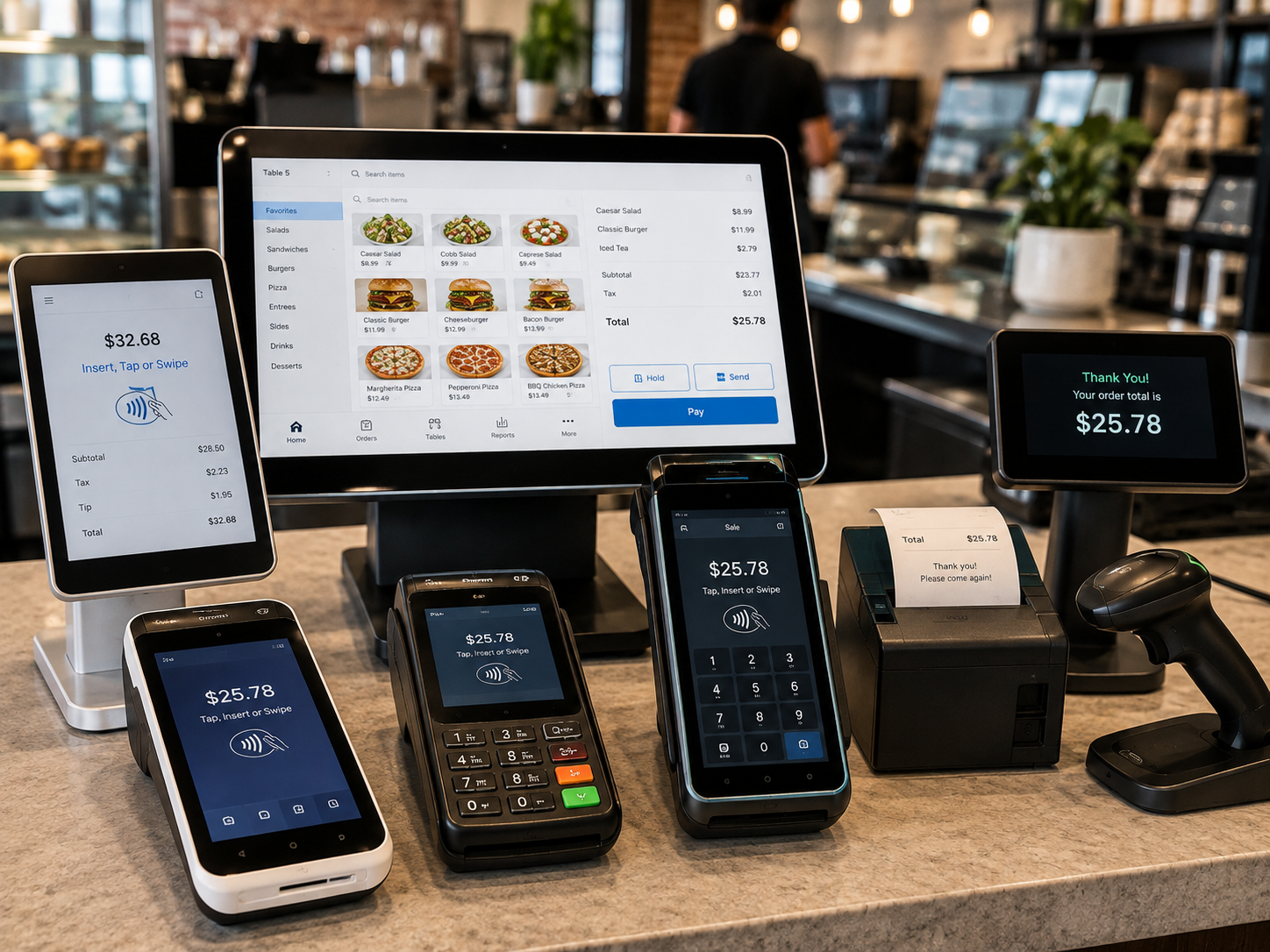
Explore the right mix of hardware, software and payments.
Restaurants · Retail · Professional services
In person · Online · On the go
Albany · Capital Region · Beyond
BUILT AROUND THE WAY YOU WORK
Your business is unique.
Your payment setup should be too.
01 / RESTAURANTS & HOSPITALITY
From the first order to the final check.
Explore POS systems, handheld ordering, kitchen displays, tipping and online ordering for busy restaurants, cafes and bars.
Tableside payments
Kitchen workflows
Online ordering
Restaurant options include KwickPOS, Clover, LINGA, Exatouch and TableTurn.
KwickPOS offers restaurant ordering and tableside workflows; Clover offers restaurant-specific plans and hardware. Confirm kitchen, ordering and integration needs in a demo.
Discuss my setup →
02 / RETAIL & E-COMMERCE
Keep checkout and inventory connected.
Discuss barcode scanning, product catalogs, inventory tools, staff access and customer engagement alongside your payment setup.
Inventory
Barcode scanning
Customer tools
Retail options include NRS, Clover, KORONA POS, WooPOS and Exatouch.
NRS offers barcode-led retail checkout and inventory tools; Clover offers retail checkout, inventory and business-management options. Confirm catalog, reporting and online-store requirements.
Discuss my setup →
03 / PROFESSIONAL SERVICES
Make getting paid easier.
Review invoicing, virtual terminals, recurring billing and remote payment options for offices, practices and service businesses.
Invoicing
Recurring billing
Remote payments
Service-business options include Clover, SwipeSimple and Payanywhere.
Clover offers service-business POS and invoicing tools; SwipeSimple supports invoices and a virtual terminal. Confirm appointment, recurring-payment and integration requirements for your setup.
Discuss my setup →
04 / MOBILE & FIELD TEAMS
Take payments wherever work happens.
Explore flexible options for contractors, home services, deliveries and businesses that work beyond a traditional checkout counter.
Mobile checkout
Payment links
Field teams
Mobile options include SwipeSimple, Clover Go, Payanywhere and compatible smart terminals.
Compare phone or tablet payments and the equipment needed on site. Confirm connectivity, invoicing and payment-link requirements before selecting a plan.
Discuss my setup →
ONE LOCAL POINT OF CONTACT
Good technology starts with a conversation.
01 · UNDERSTAND
Show us your workflow.
Share your current setup, pain points and goals. Already processing payments? Start with a statement review.
02 · COMPARE
Find your fit.
Review suitable POS and payment options from Chris’s partner network, matched to the way your business works.
03 · MOVE FORWARD
Plan the next step.
Discuss equipment, software, costs and setup requirements so you know what comes next.
NEW BUSINESS? TIME FOR AN UPGRADE?
Need a POS?
Let’s find your fit.
Tell Chris about your business in a short consultation request. Get a personal conversation about the right next step.
Request my POS consultation →
Talk with Chris
OUR PAYMENT & POS NETWORK
More options.
One personal point of contact.
Work with Chris to compare suitable options and coordinate the next step with the right provider.
Explore POS and payment tools — 15 options
WooPOS
Retail POS and inventory options through RedFynn
SwipeSimple
Mobile payments and POS options through RedFynn
Charge Anywhere
Payment and QuickSale POS options through RedFynn
Clover
Checkout, inventory and business management
KwickPOS
POS options for restaurant and retail workflows
NRS
Retail checkout, inventory and reporting for convenience, grocery and liquor stores
Payanywhere
POS and mobile payment options
Exatouch
Retail and restaurant POS through Electronic Payments
KORONA POS
Retail and liquor-store POS options
Digirestro
Restaurant POS and ordering options
Linga
Restaurant and retail POS options
Quantic
Restaurant and retail POS, with inventory and ordering options
Selflane POS
Restaurant POS, online ordering and payments
Growthzilla / Uzeli
Salon and spa management with POS and appointment tools
TableTurn
Restaurant POS and management options through Electronic Payments
Payment provider options:
CardConnect / Fiserv, RedFynn, North / EPX, Electronic Payments, Celero Commerce and Xplor Pay. These are provider relationships; the POS, processing route and available features are matched to your business.
Help me choose a POS →
Request a comparison or demo
COMPARE THE WHOLE COST
More than a quoted transaction rate.
Interchange-plus
Underlying card costs plus a processor markup. Compare both percentage and per-transaction charges, along with monthly fees.
Flat-rate
A quoted rate for a transaction type. Card-present, online and keyed transactions may have different rates and conditions.
Subscription
A recurring membership fee with separate transaction charges. The fit depends on volume and the complete fee schedule.
Before signing:
review software subscriptions, equipment purchase or lease terms, PCI-related fees, chargebacks, contract length and early termination charges. Ask for the provider’s written terms.
Review my current statement →
A few things you may be wondering.
Can I keep parts of my current setup?
Often the first step is understanding what already works. Chris can review your current equipment and software, then confirm compatibility and any changes needed.
What will a new POS system cost?
Plan for four parts: hardware (terminals, tablets, printers or scanners), software subscriptions and add-ons, payment processing charges, and any setup, installation or training fees. Equipment may be purchased, financed or leased; compare the total commitment. Ask Chris for a written breakdown of upfront costs, recurring fees and contract terms for the proposed setup.
Does a consultation commit me to a contract?
This consultation request is an initial request for a conversation. Any merchant-account application, agreement or equipment order is handled separately after you review the options and terms.
Can you help me understand my processing statement?
Yes. Ask Chris for a free statement review to discuss current processing charges and compare available options. Any savings estimate is based on your statement and the plan selected.